Read, write & lock NFC tags
from your phone.
NFC Wizard is a free NFC tag reader and writer for iPhone and Android. Hold your phone near a tag to see its type, capacity, and records, or write links, Wi-Fi logins, contacts, and more. Premium adds Bulk Write for up to 9,999 tags, Cloud Backup, and no ads.
- Data types
- 11
- Data types
- Tags per bulk run
- 9,999
- Tags per bulk run
- Hardware needed
- 0
- Hardware needed
Features
Everything an NFC pro needs
From your first tag to a thousand-tag deployment — NFC Wizard handles reading, writing, and everything after.
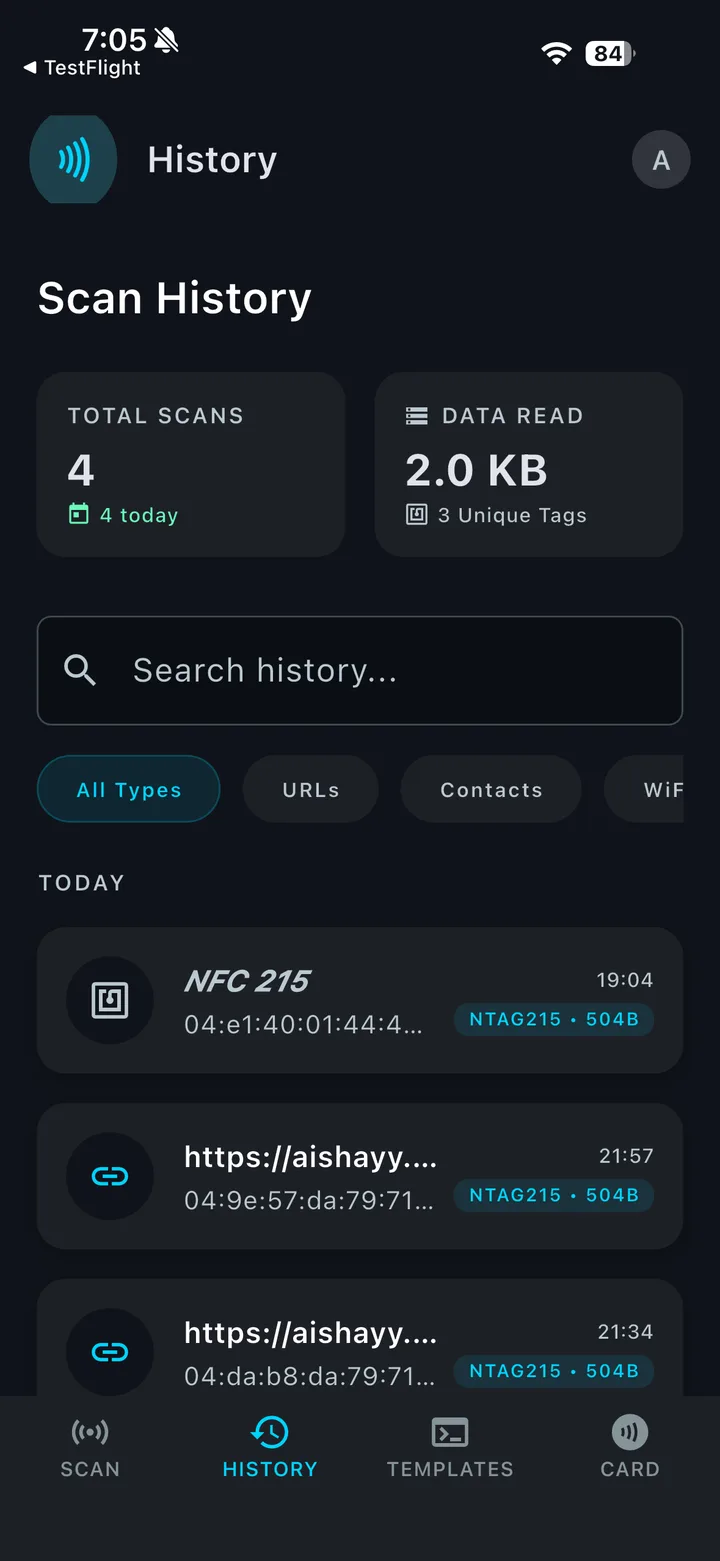
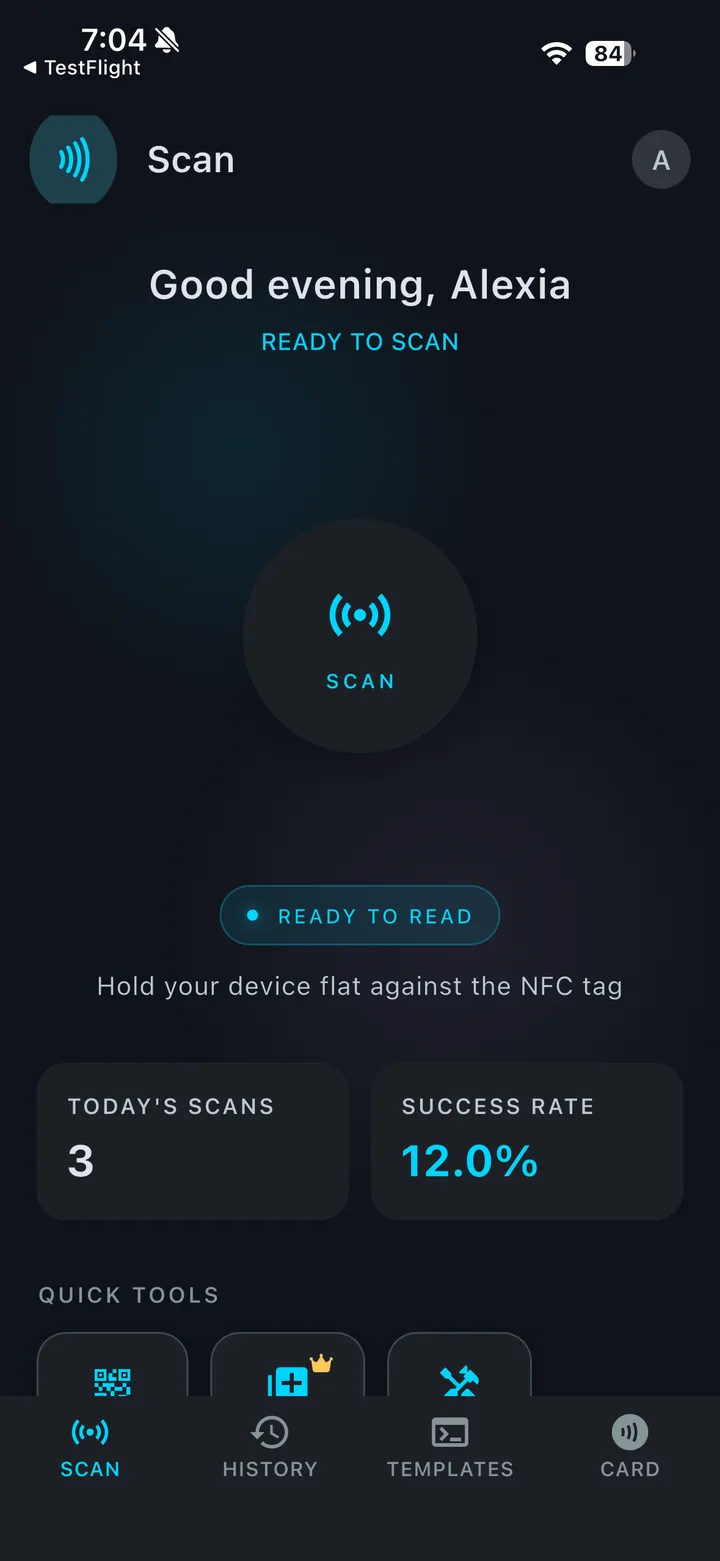
Instant Scan & Read
Hold your phone near any NDEF tag to see its type, capacity, and every record on it. Every scan lands in a searchable history — filter by URLs, contacts, or Wi-Fi, copy a record, or write it again in one tap.
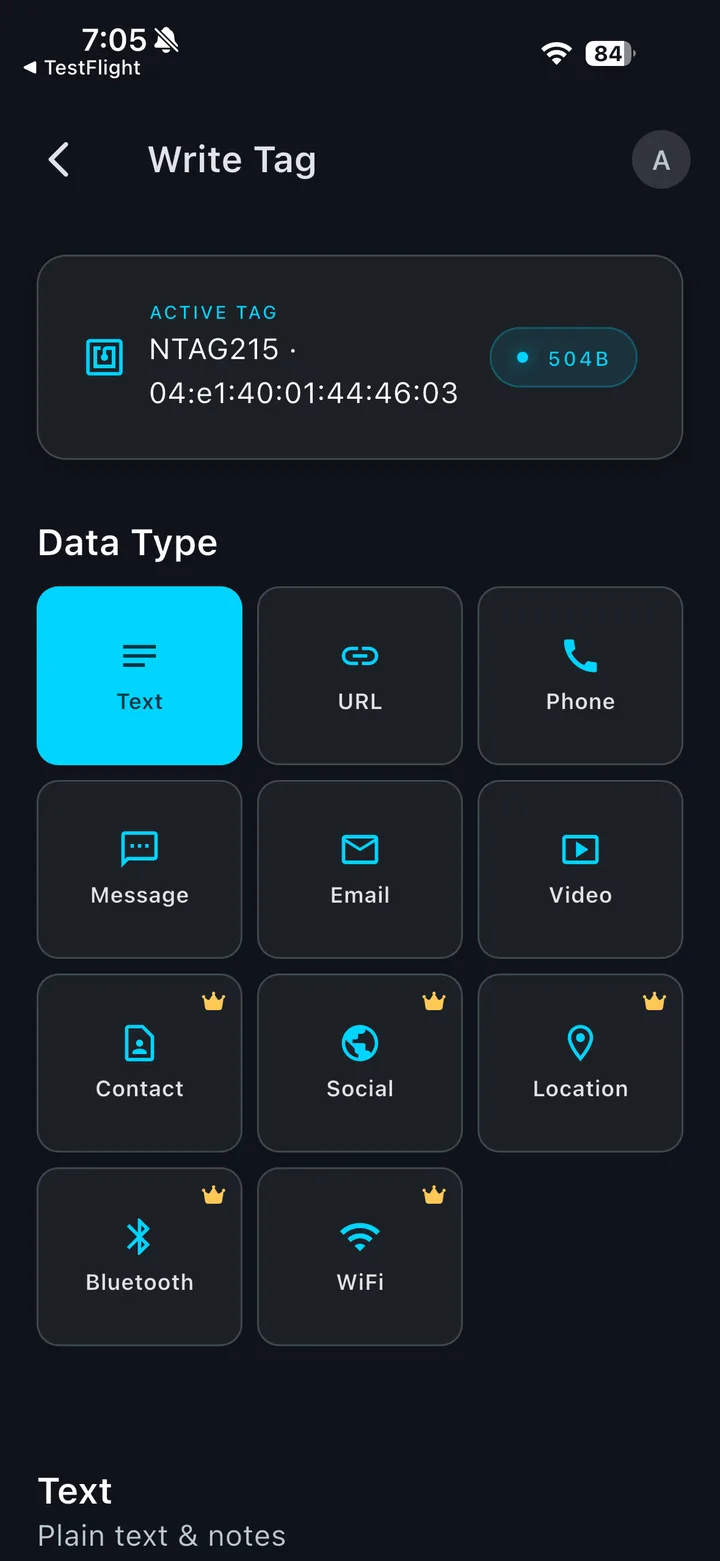
Write 11 Types of Data
Links, text, phone numbers, messages, emails, and video links are free. Premium adds Wi-Fi logins, contact cards (vCard), social profiles, map locations, and Bluetooth devices.
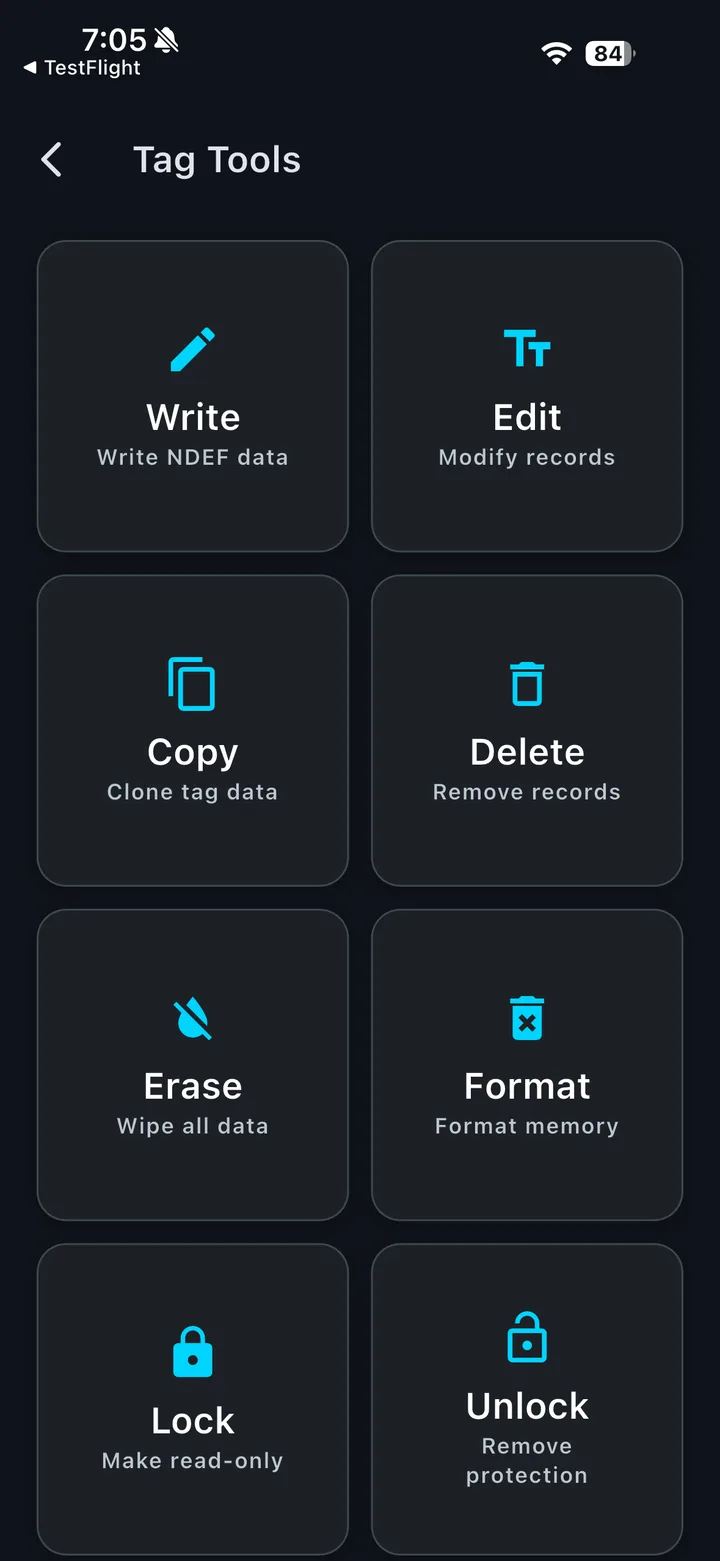
Pro Tag Tools
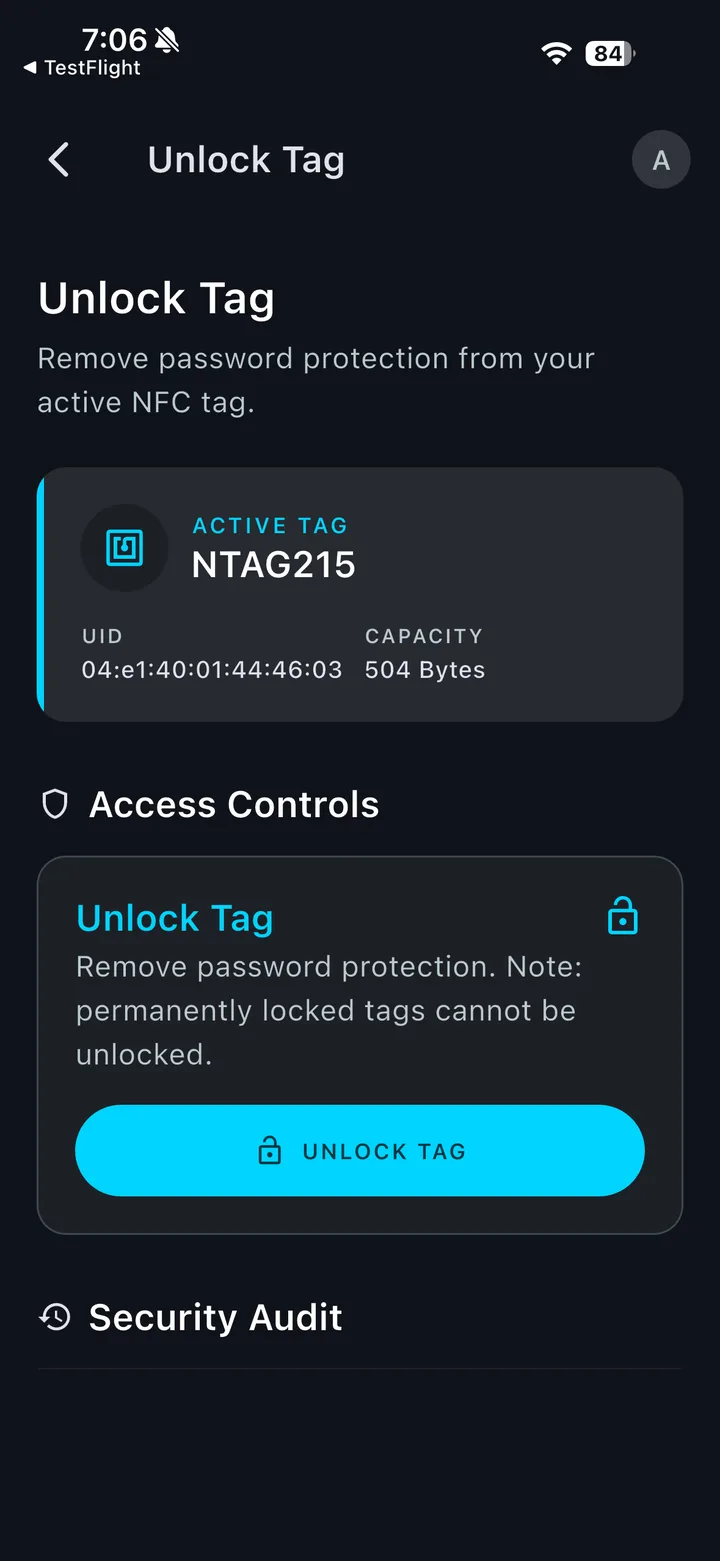
Edit records on a tag, clone one tag onto another, erase or format a tag, or delete single records — all from one screen, with the active tag's UID and capacity always in view.
Lock & Password-Protect
Password-protect NTAG213/215/216 tags against rewrites and unlock them again, or lock a tag permanently as read-only. A security log records every lock and password change.
How to lock or password-protect a tag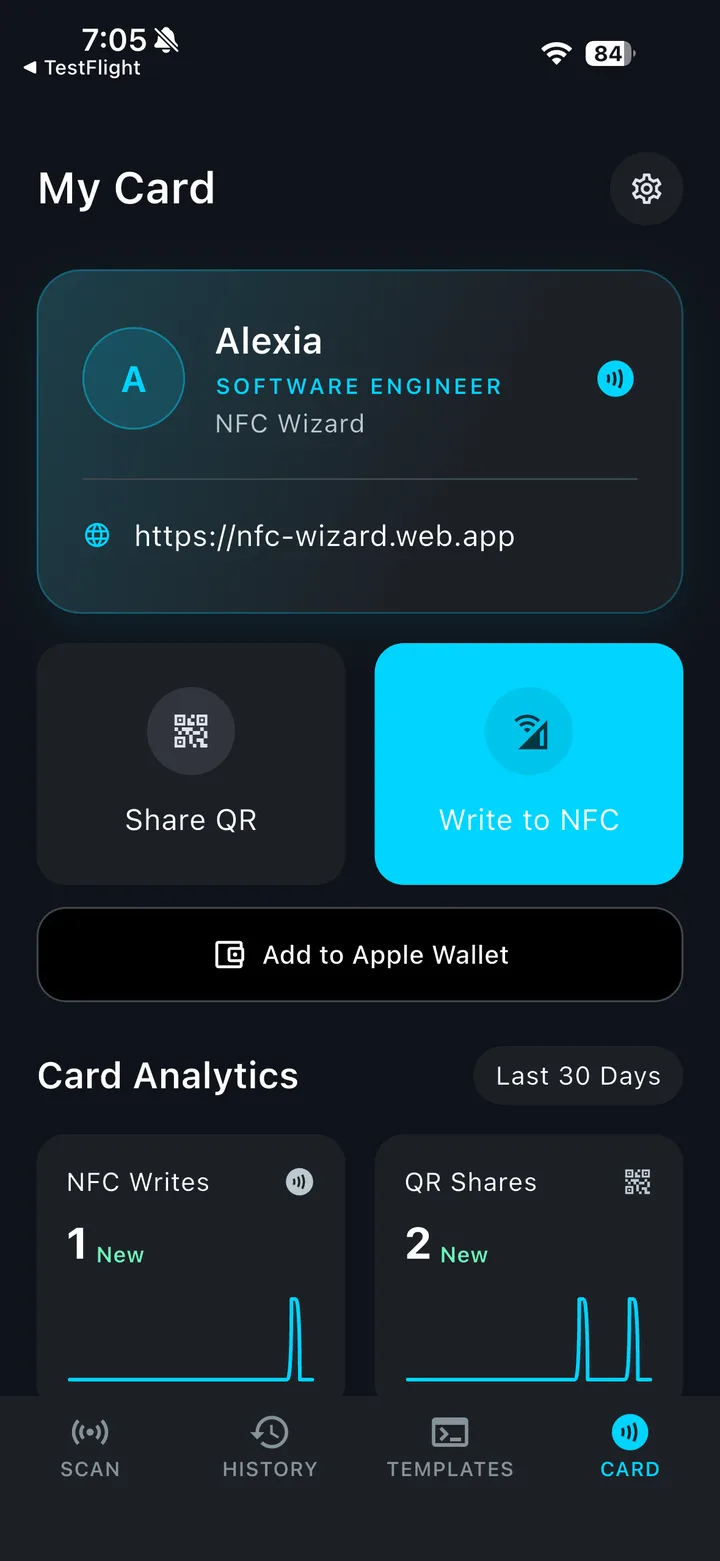
Digital Business Card
Add your name, role, company, phone, email, website, and links to 13 social platforms — Instagram, LinkedIn, X, TikTok, GitHub, and more. Share it as a QR code that saves straight to contacts, write it to an NFC sticker, or add it to Apple Wallet (iPhone) or Google Wallet (Android). Card Analytics counts your writes and shares over 30 days.
More about the NFC business cardAnd more
Power under the hood
How it works
Three steps. That's it.
Download the app
Get NFC Wizard free on the App Store or Google Play. No account needed to start scanning.
Tap a tag
Hold your phone near any NFC tag to read it instantly, or pick a data type or template to write a new one.
Scale up with Premium
Unlock Wi-Fi, vCard, and location writes, Bulk Write for hundreds of tags, and cloud backup — ad-free.
Private by default
Your scans and written tags live on your device. Cloud Backup is optional and Premium-only — nothing syncs unless you turn it on. We don't sell personal data, ever.
Read our Privacy Policy →Pricing
Start free. Upgrade when you outgrow it.
Core NFC tools are free forever. Premium is sold in the app through the App Store and Google Play — pick weekly or monthly, or remove ads once with a single payment.
$0
forever
- Scan and decode any NDEF tag
- Write links, text, phone, messages, email, video
- Erase, format, lock, and password-protect tags
- QR to NFC and templates
- Try any Premium tool once by watching a short ad
- Digital business card with socials, QR, and Wallet
- Scan history on your device
- Supported by ads
$4.99
/month
or $1.59/week
- Everything in Free
- No ads
- Unlimited writing: Wi-Fi, vCard, social, location, Bluetooth
- Bulk Write up to 9,999 tags
- Cloud Backup and sync
$1.99
one-time · yours forever
- Removes banner, interstitial, and app-open ads
- No subscription, no renewals
- Keeps every free feature
- Restores on reinstall
Purchases are made in the app. Payment is charged to your Apple ID or Google Play account at confirmation of purchase. Prices shown are in USD; the app shows the price in your local currency. Premium automatically renews unless canceled at least 24 hours before the end of the current period. Manage or cancel it in Settings → your name → Subscriptions on iPhone, or in Google Play → Payments & subscriptions on Android. Restore purchases from the Premium screen in the app.
Blog
Learn the tap-first way
Guides on tags, bulk tagging, and business cards from the team building NFC Wizard.
August 10 · 1 min read
New to NFC? Learn how near-field communication works, what happens when your phone taps a tag, and the everyday magic you can unlock.
Read moreAugust 14 · 2 min read
NTAG213, NTAG215 or NTAG216? Memory, what fits on each, stickers vs cards vs fobs, on-metal tags and locking — a practical guide so you never buy the wrong chip.
Read moreAugust 17 · 1 min read
Smartphone habits die when they take three taps. These nine real-world NFC automations remove the friction from routines you already have.
Read moreFAQ
Questions, answered
What phones does NFC Wizard work with?
NFC Wizard runs on iPhone (iPhone 7 or later; XS or later recommended for writing) and on Android phones with built-in NFC. No extra hardware required — everything runs on the chip already inside your phone.
Which NFC tags are supported?
All NDEF-formatted tags, including NTAG213/215/216, MIFARE Ultralight, and ISO 15693, in sticker, card, and key fob form factors. Android phones with MIFARE support can also read MIFARE Classic. The app shows tag metadata like UID, chip type, and capacity.
Is my data private?
Yes. Scans and written tags are stored on your device, and no account is needed. Cloud Backup is optional, Premium-only, and only syncs when you turn it on. We never sell your personal data. Read our Privacy Policy for full details.
How do I buy Premium?
Premium is sold inside the app through the App Store or Google Play, so it's billed to the account you already use. Install NFC Wizard and tap Premium, or if the app is already installed, use the "Open Premium in the app" link on this page. Plans are $1.59/week or $4.99/month (shown in your local currency in the app).
Do I need a Premium subscription?
No. Reading, writing links, text, phone numbers, messages, emails, and videos, plus every tag tool, are free. Premium unlocks Wi-Fi, vCard, social, location, and Bluetooth writes, Bulk Write, and Cloud Backup — and removes all ads. You can also try any Premium tool except Cloud Backup once by watching a short ad. Prefer not to subscribe? A one-time $1.99 purchase removes ads permanently.
How do I cancel my subscription?
On iPhone: Settings → your name → Subscriptions. On Android: Google Play → Payments & subscriptions. Your plan stays active until the end of the current billing period.
I reinstalled the app. How do I get my purchase back?
Purchases are restored automatically on the first launch after a reinstall, using your App Store or Google Play account. You can also tap Restore purchases on the Premium screen.
Can I rewrite a tag after writing it?
In most cases, yes — rewritable tags can be updated anytime, and password-protected tags can be unlocked with their password. A tag you permanently lock as read-only can't be changed again, so the app asks you to confirm first.
How do I delete my account and data?
In the app, go to Settings → Signed In → Delete Account and confirm with your password. Your account and everything in Cloud Backup are deleted right away. Data on your phone stays until you delete it or uninstall the app, and your subscription isn't cancelled — manage that in your App Store or Google Play settings. You can also email us and we'll delete it for you.
Still stuck? Email our support team — we usually reply within one business day.
Your phone is already an NFC wizard.
Download NFC Wizard for iPhone or Android and put every tag task in your pocket — free to start, seconds to learn.